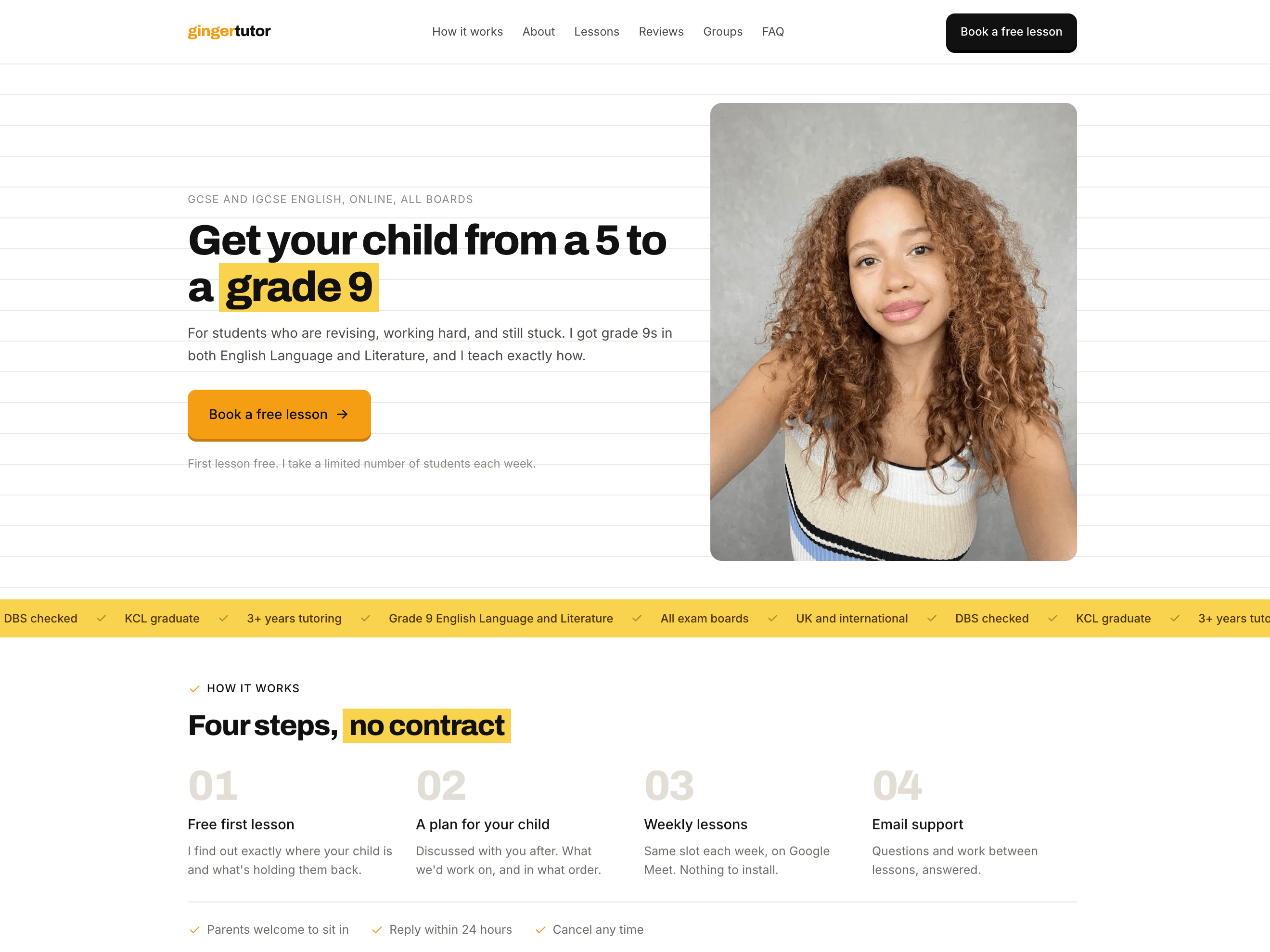
The landing page
Overview
A single page site for a tutoring business, built to get visitors to book a free trial lesson. It covers who the tutor is, how she teaches, reviews from current students, group lesson availability and pricing, all leading to the booking form.
Behind it I built the client a Notion workspace that manages students, groups, lessons and payments together. Logging a lesson and logging a payment work out how many lessons each student has paid for and how many they still owe, so she can see who needs to pay without working it out herself.
The site reads the group timetable from that same workspace. Adding a group, changing a time or a price, or taking one down happens in Notion and shows up on the site, with nothing to update in two places.
Stack
- Next.js
- React
- TypeScript
- Tailwind CSS
- Notion API
- Vercel
- Vercel Analytics
Decisions
Reading the timetable from Notion
A site like this normally needs somewhere separate for the client to edit content, which means another tool to learn and keep updated. Since I was already building her management system in Notion, the site reads the timetable straight from it, so there is one place to change anything.
A ceiling on how stale the timetable can get
The read is cached, so visitors get a copy rather than a live call every time. Beyond a minute it is too old to serve, so the next visitor waits for a fresh read instead of being shown yesterday's (potentially outdated) times. If the read fails, the section shows its empty state rather than times that might be wrong.
One page, one action
The site does not need navigation, it needs bookings. The page runs in the order someone makes the decision: who she is, how she teaches, reviews, availability, pricing, then the booking form. A booking button stays on screen the whole way down.
How it was built
I use Claude and Claude Code for designing, planning and implementation, working with it rather than handing tasks off. The site and the Notion system behind it were both live within three days.